


Adding a Host in vCenter Inventory
- Sarbjeet Sehra
- Oct 3, 2021
- 1 min read

This article will gives you more details and steps to add Esxi host in vCenter server. In earlier articles we worked on hypervisor installation and configuration and now, will talk on Esxi host and their addition.
Follow below steps to add Esxi Hosts in vCenter server. please ensure you have appropriate rights for adding host. Login into vCenter Server and right click on data Center or Cluster.

Enter username and password of hypervisor. Click next to proceed further.
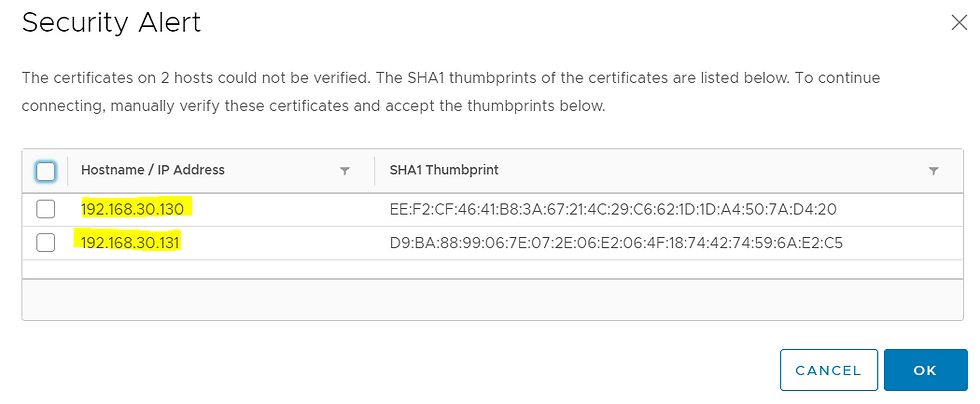
Review and accept security alert. Click next to move forward.

review all you steps and click on finish button to add hosts under vCenter inventory. You can add single host at a time or multiple as well.

Host has been added successfully in vCenter.

Note : you can add host through power CLI command as well. You will see the process & steps in my upcoming article



Comments